Admin
The Scheduled Actions view — queue strip, status tabs, columns, row and bulk actions, the log drawer, and creating actions by hand.
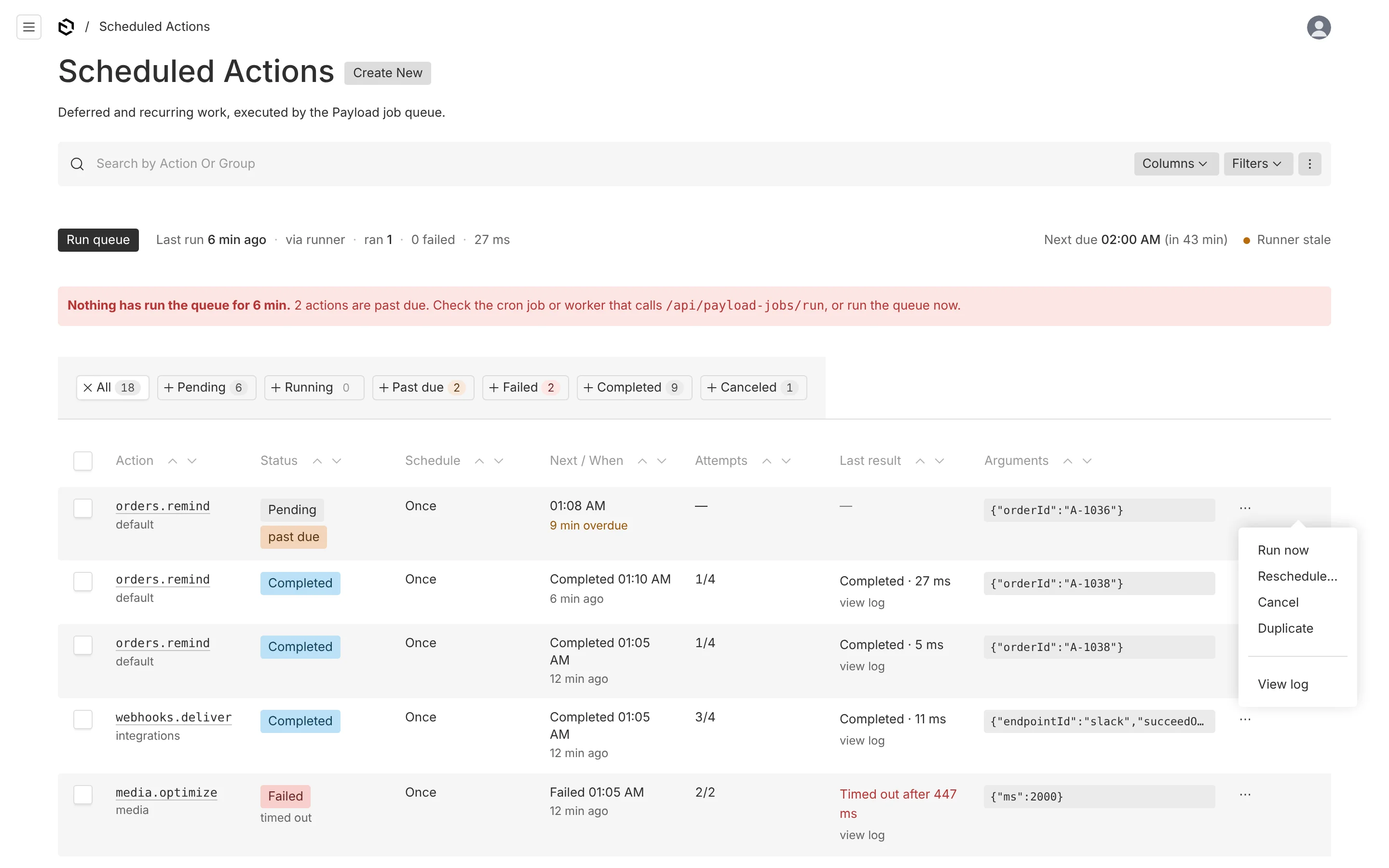
Scheduled Actions is Payload's own list view for the scheduled-actions collection, so search, Columns, Filters, pagination, selection and preferences work as they do everywhere else in the admin. The plugin adds the parts that make the queue operable without a developer. Every one of them is a Payload UI component — Button, Pill, PillSelector, Banner, Popup, Drawer, ConfirmationModal, toast — so the view follows the admin's theme, light and dark.
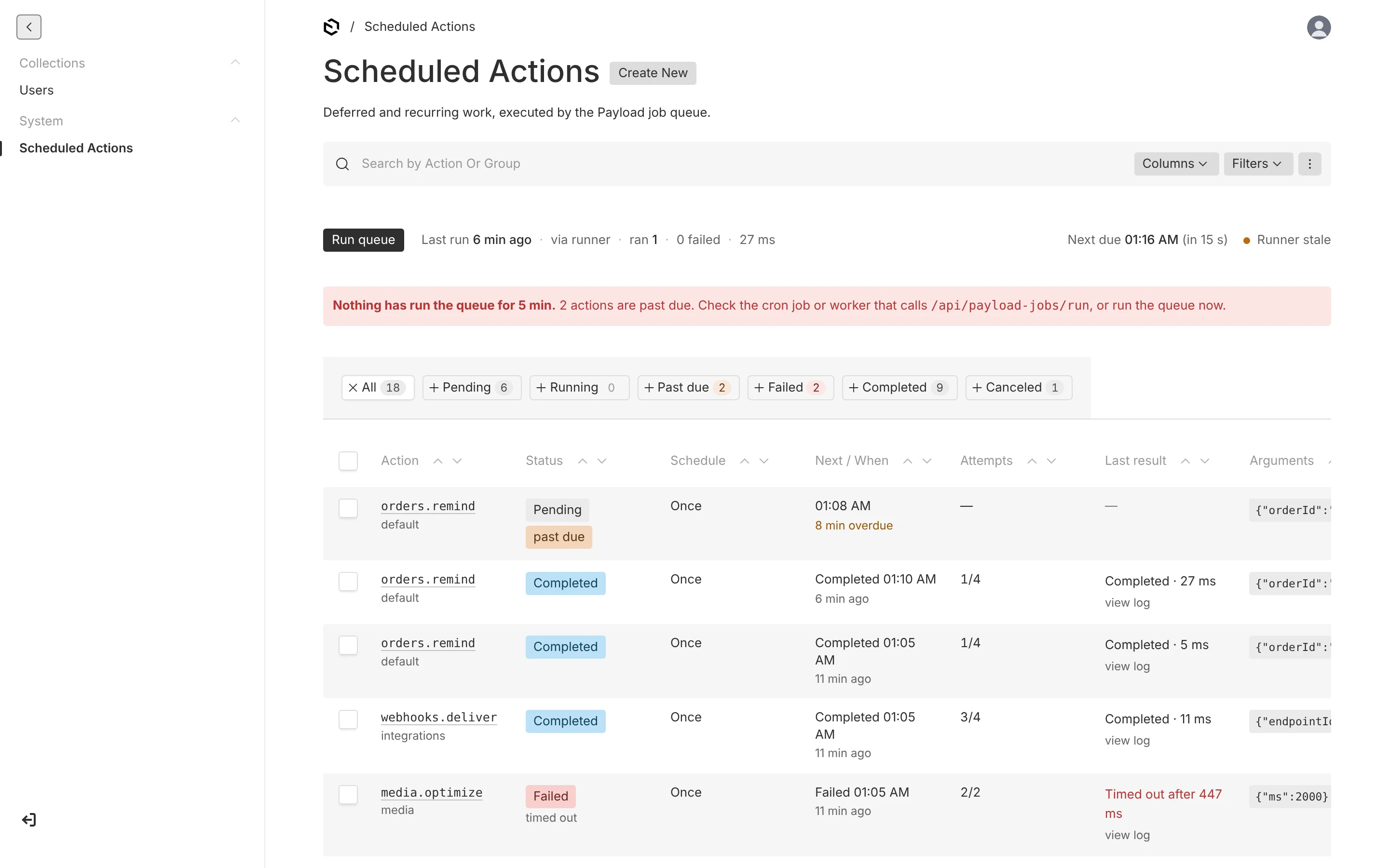
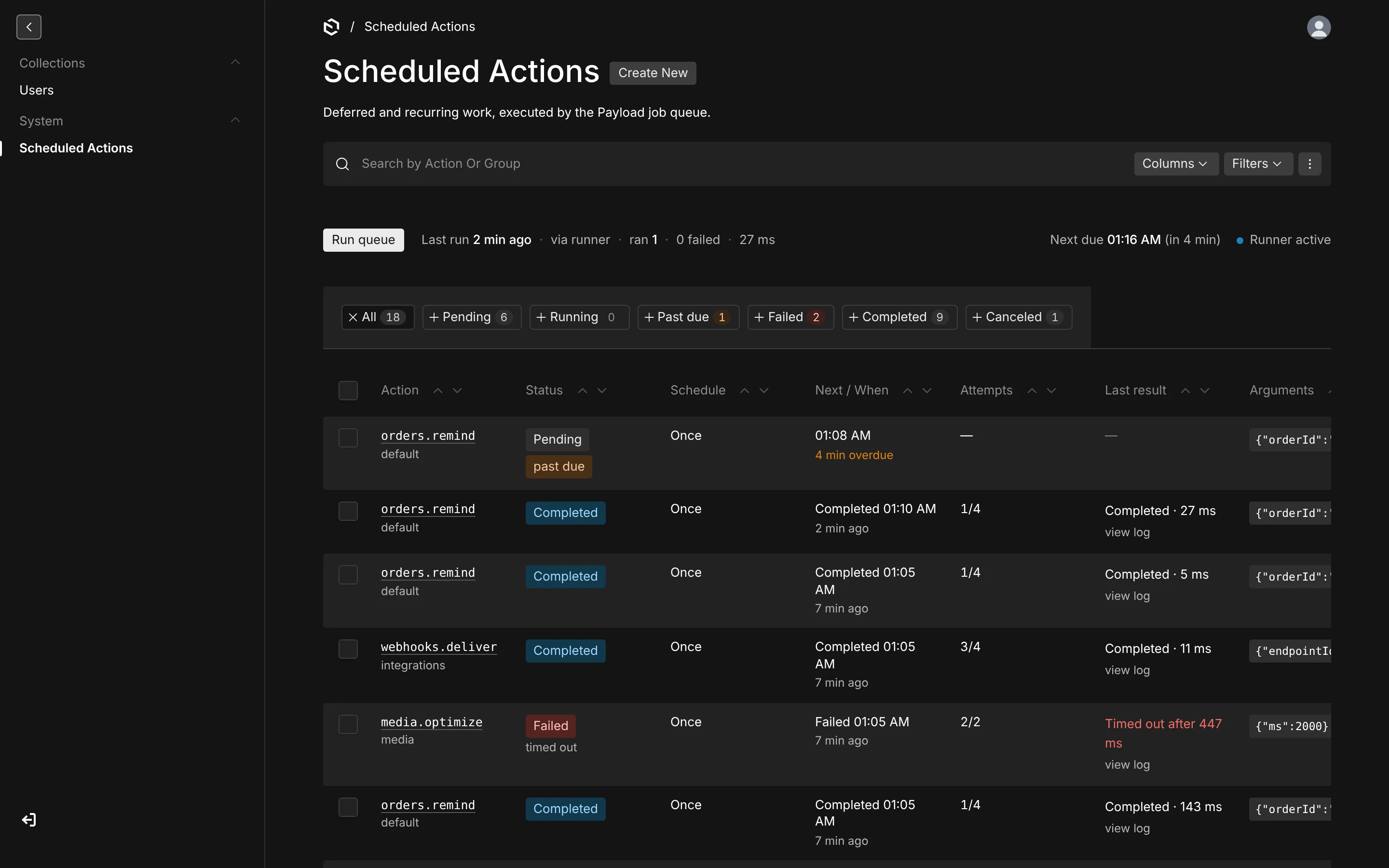
Queue strip
Above the table:
- Run queue executes everything that is due, in priority order, up to 25 actions or 20 seconds (
runner.runQueueLimit,runner.runQueueMaxDuration). It is locked to one run at a time: a second admin sees the button disabled with who started the run. When it finishes, a toast reports "Ran 5 · 4 completed · 1 failed" with a Show failed link. - Last run — how long ago, whether it was manual (and by whom), a runner, or Payload Clock, how many actions ran and failed, and how long it took. Runs by external runners are summarised by the maintenance tick, so the line is never ambiguous about what it counts.
- Next due — the next pending action's time, local and relative.
- Runner health — a dot and a label: Runner active while the maintenance tick has been seen within five minutes (
runner.warnAfter); Runner stale with an error banner naming how long it has been and how many actions are past due; No runner yet with an info banner listing the runner options when nothing has ever run. Withtick: falsethe label reads Runner status unknown.
The strip refreshes every 5 seconds while something is running, past due or due within five minutes, every 30 seconds otherwise, and pauses when the tab is hidden.
Status tabs
All · Pending · Running · Past due · Failed · Completed · Canceled, each with a count. Past due is pending and more than a minute late; Failed is red, Past due amber, zero counts muted. A tab sets the list's where clause and sort (soonest first on Pending and Past due, latest change first elsewhere), so the choice lives in the URL, survives a reload, and composes with the Filters menu.
Columns
| Column | Shows |
|---|---|
| Action | The hook in monospace, linked to the detail view; the group beneath it, and "↻ recurring" or "↻ series" for recurring rows. A hook that is no longer registered in code gets a warning pill. |
| Status | A pill — Pending, Running (with elapsed time), Completed, Failed, Canceled — plus "past due" when late, "retrying" while waiting for the next attempt, or the failure reason: timed out, worker lost, permanent error, not registered in code. |
| Schedule | "Once", "Every 15 minutes", or the cron in words — "Every Monday at 09:00" — with the raw expression beneath and the zone when it differs from yours. |
| Next / When | Pending: local time and "in 2 min" or "3 min overdue". Running: "Started 12 s ago". Finished: "Completed 13:41 · 2 h ago". The full date, zone and UTC on hover. |
| Attempts | 2/4; recurring rows also show the run count. |
| Last result | One line — "Completed · 842 ms", "Skipped · already paid", "Failed · ECONNRESET · retry 14:05", "Timed out after 2 min" — and a click opens the log. |
| Arguments | The JSON on one line, truncated, full and pretty on hover. |
Optional columns from the Columns menu: Group, Priority, Queue, Runs, Last duration, Created, Created by, Source, and the raw fields.
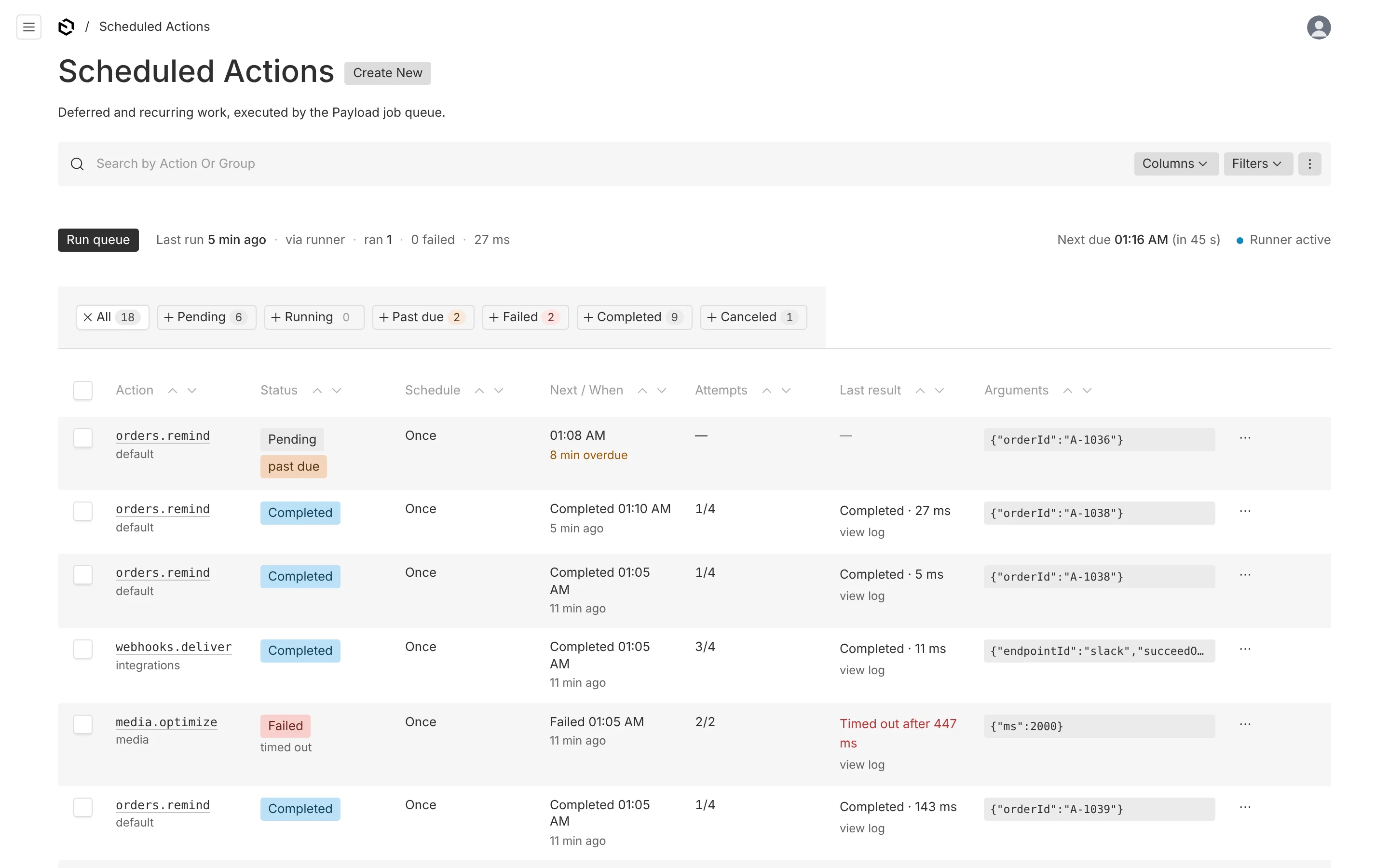
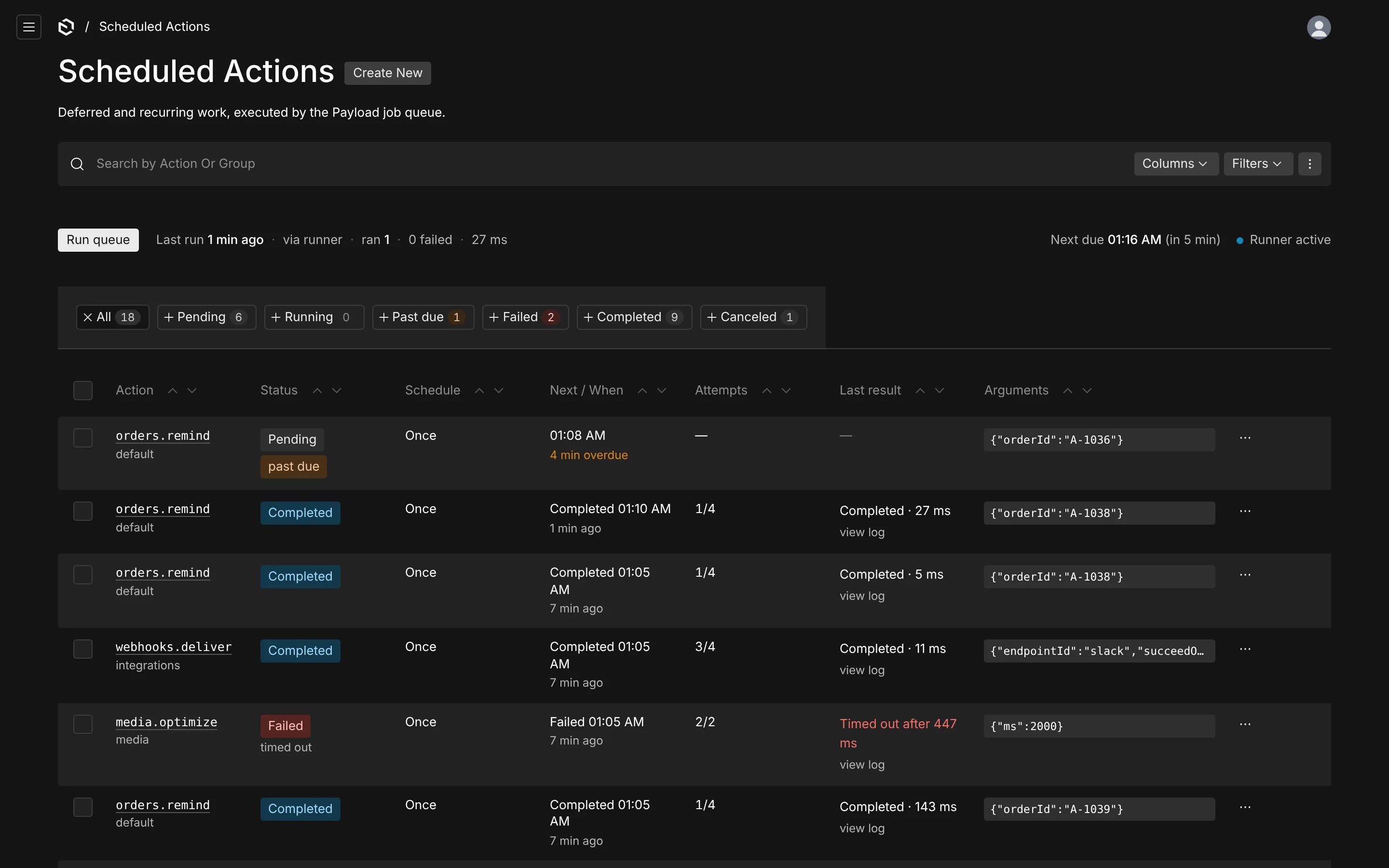
Row actions
The ⋯ menu on each row, and the same buttons in the log drawer and at the bottom of the detail view:
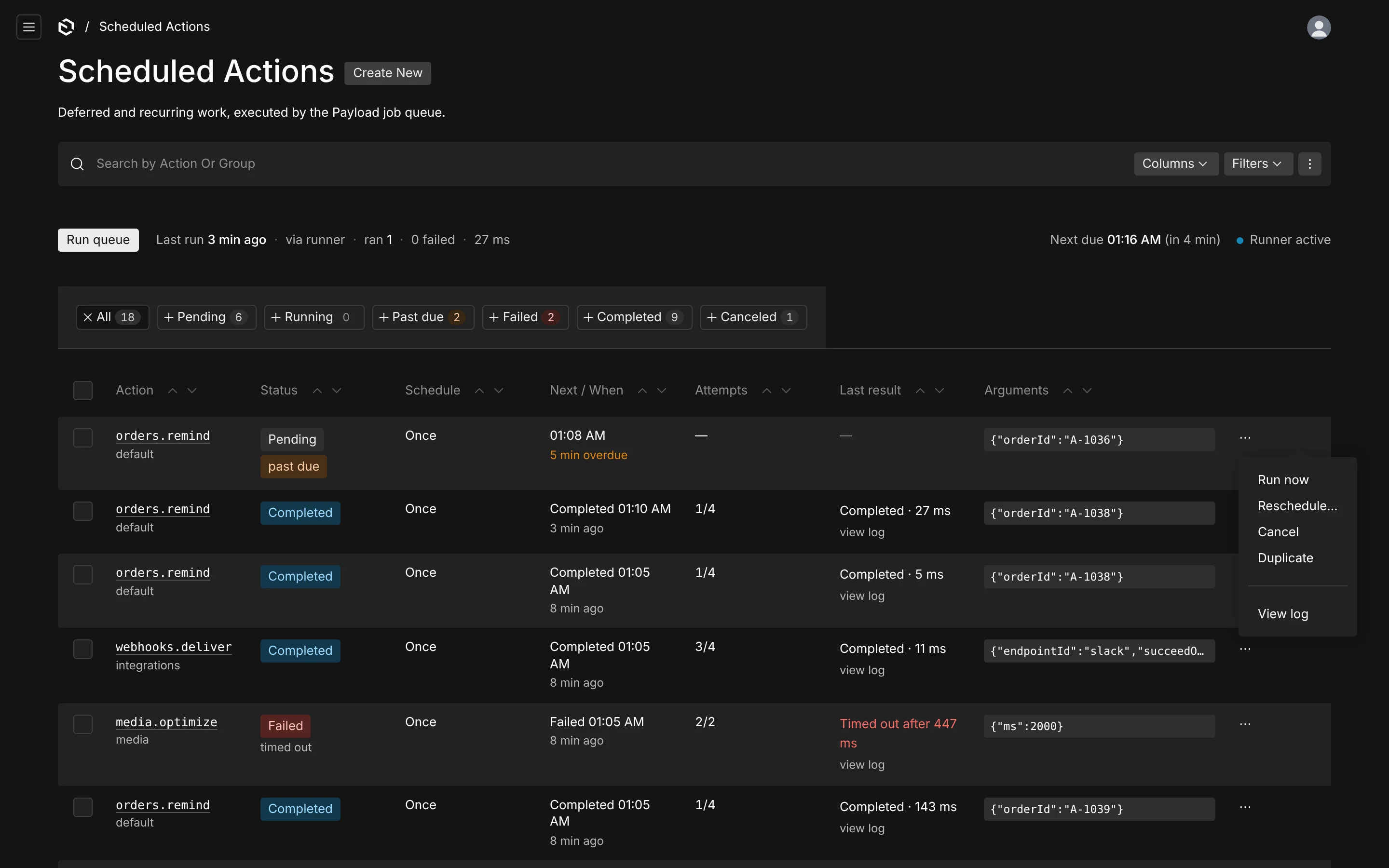
| Action | Pending | Running | Completed | Failed | Canceled |
|---|---|---|---|---|---|
| Run now | ✓ | – | – | – | – |
| Retry now | – | – | – | ✓ | – |
| Reschedule… | ✓ | – | – | – | – |
| Cancel / Pause series | ✓ | recurring: Stop after this run | – | – | – |
| Duplicate | ✓ | ✓ | ✓ | ✓ | ✓ |
| Delete | – | – | ✓ | ✓ | ✓ |
| View log | ✓ | ✓ | ✓ | ✓ | ✓ |
Run now and Retry execute immediately and update the row in place. Cancel, Stop and Delete confirm first. A running once-off action cannot be stopped from another process, so it has no Cancel; a running series can be told to stop after the current run. Duplicate creates a fresh pending copy — five minutes out for a once-off, the next occurrence for a recurring one — and opens it.
Bulk actions
Select rows and open the list's menu: Run now, Retry, Cancel and Delete finished apply to the selection, each only to rows in a state that allows it, and the toast says how many were affected ("Applied to 8 of 10 selected; the others are not in a state that allows it").
Log drawer and detail view
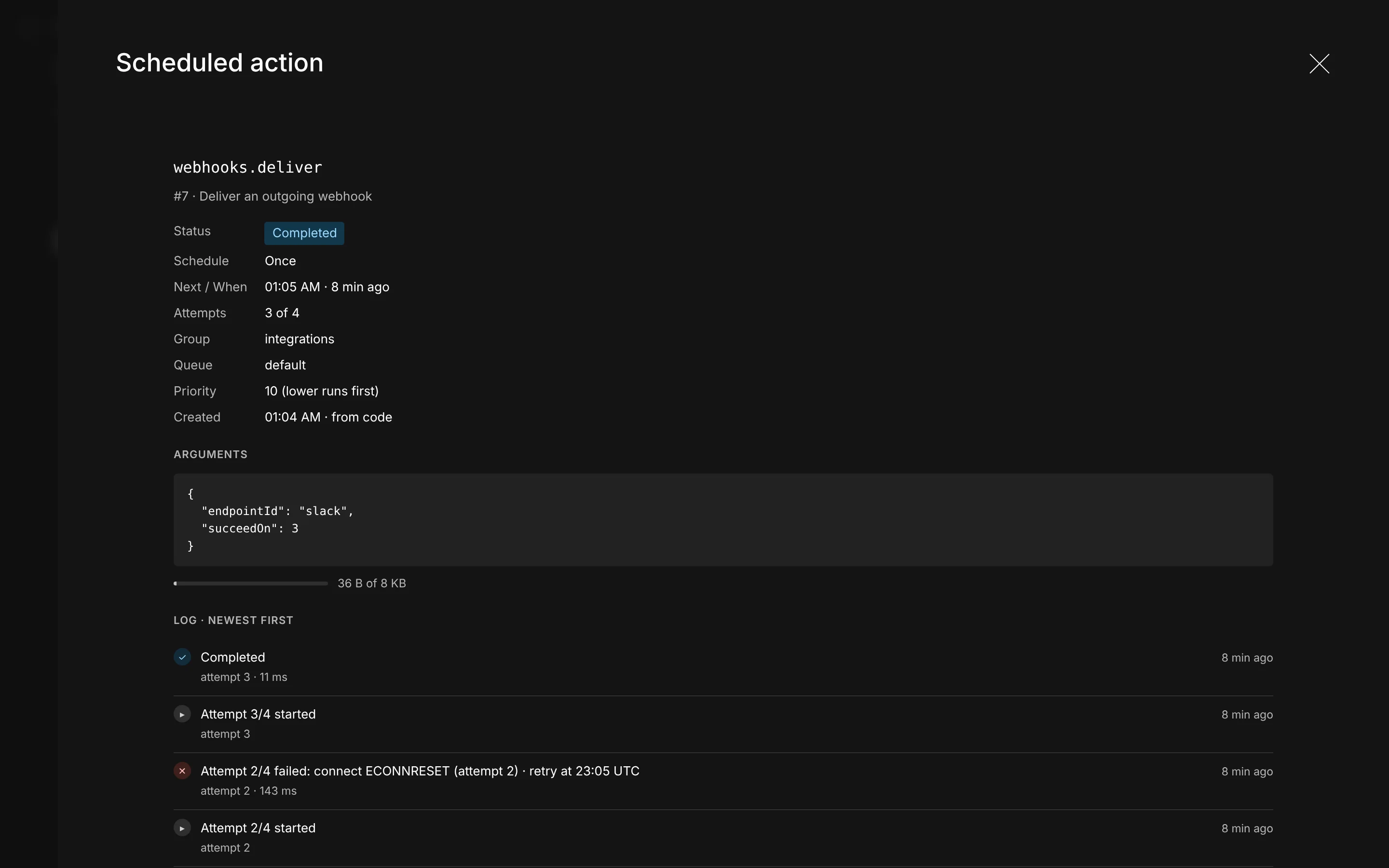
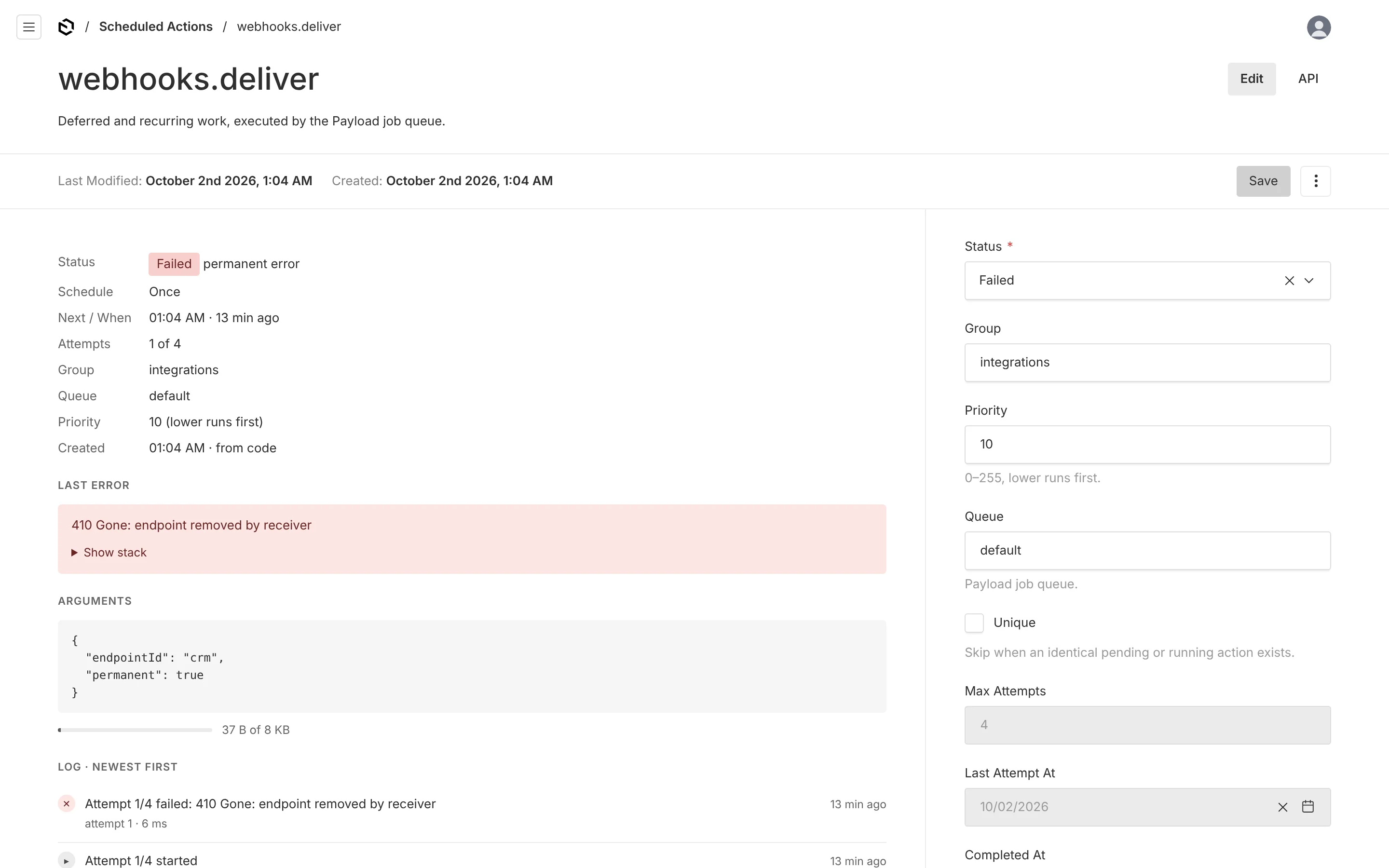
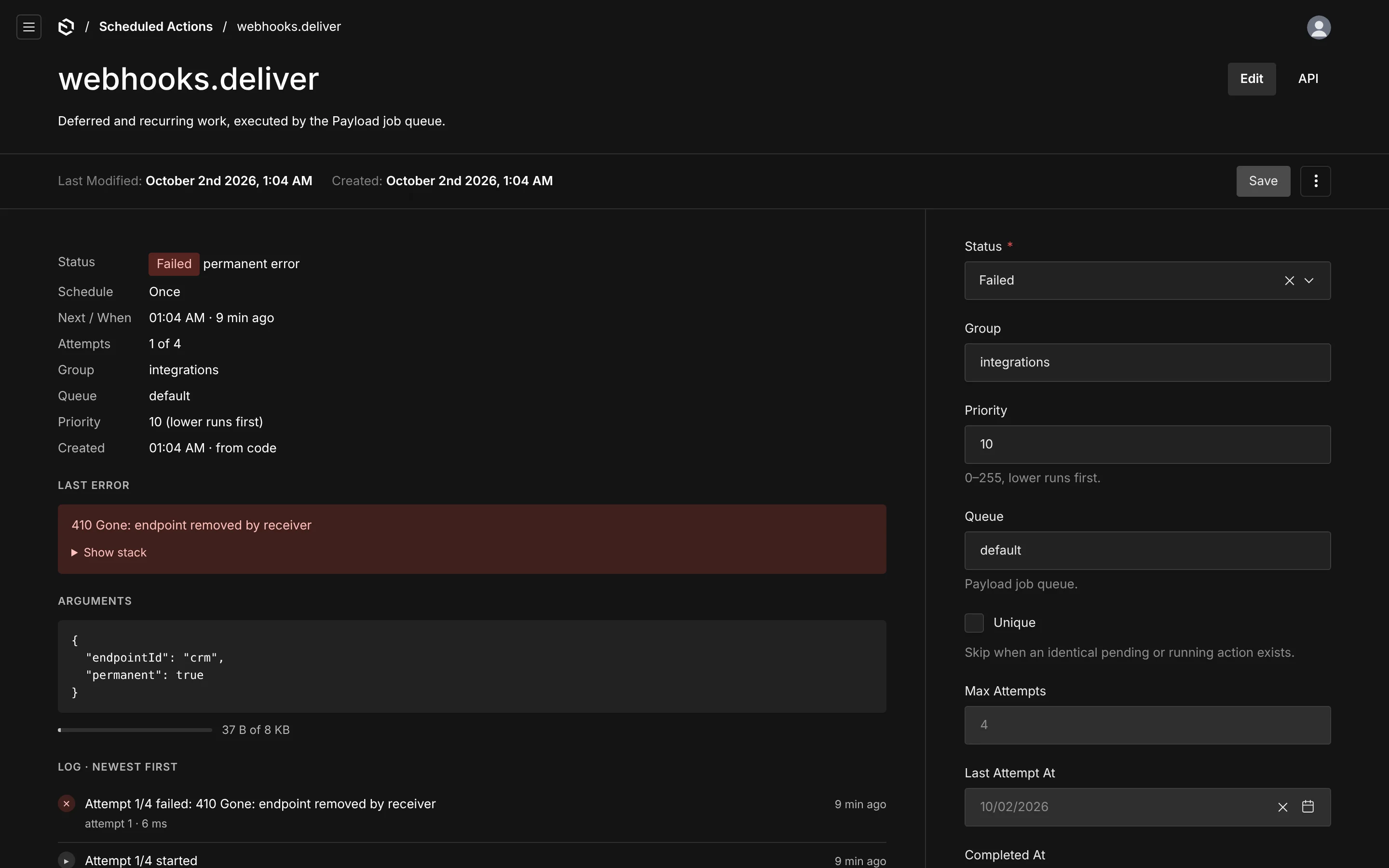
Clicking a result, or View log, opens a drawer without leaving the list: the hook and its label from code, the schedule in words and raw, the next time, attempts, runs, group, queue, priority, who created it and how; the latest error with its stack behind Show stack; the arguments, pretty-printed, with their size against the cap ("64 B of 8 KB"); and the timeline, newest first — scheduled, started, completed, failed with the retry time, timed out, lost, rescheduled, canceled, re-armed — each with attempt and duration. When the rolling window has trimmed older lines, the drawer says so. Open full page → goes to the detail view, which shows the same sections in Payload's document layout with the facts in the sidebar.
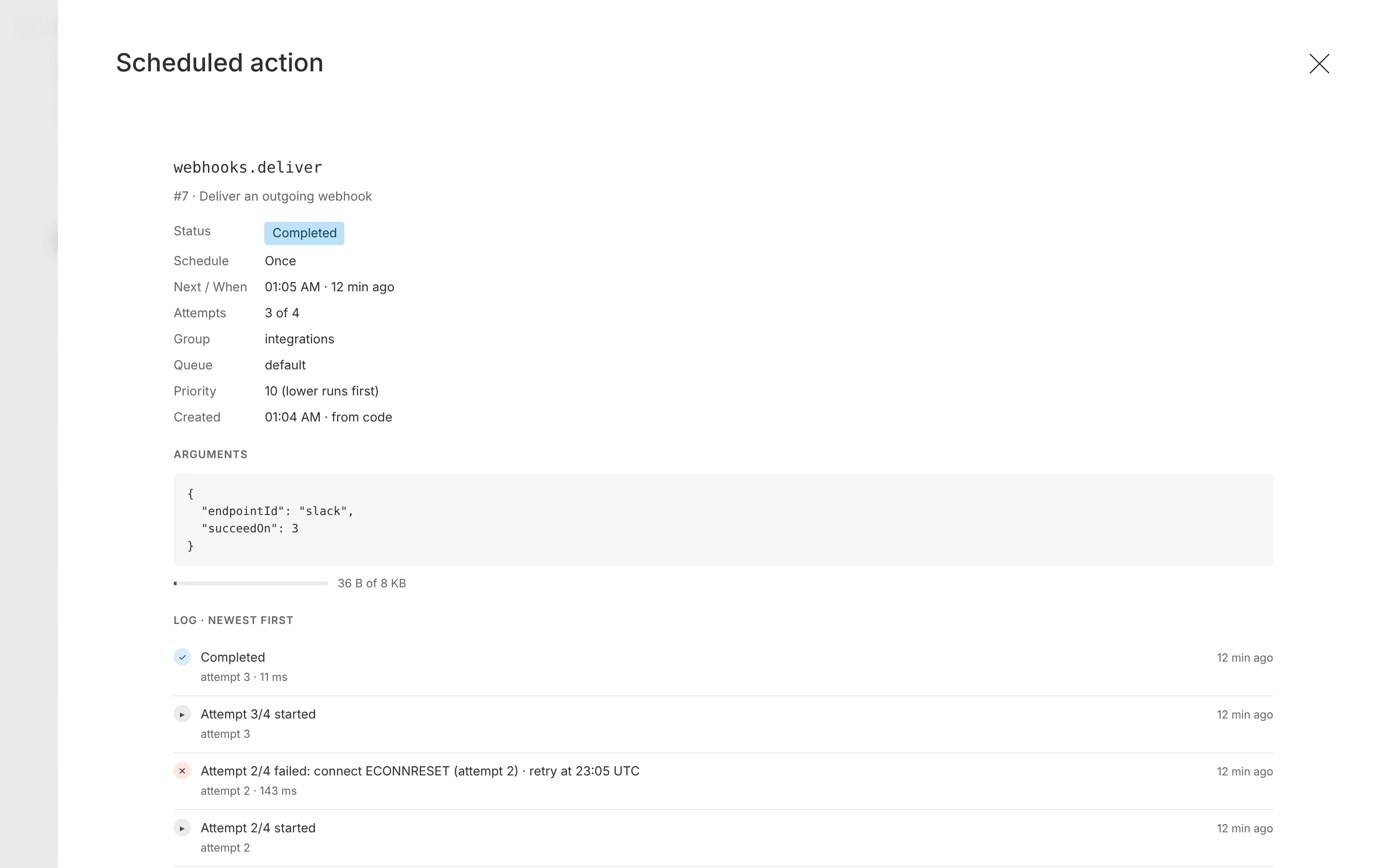
Finished actions are read-only in the detail view; pending ones let you change the time, priority, group and arguments, and the change re-dispatches the action.
Create New
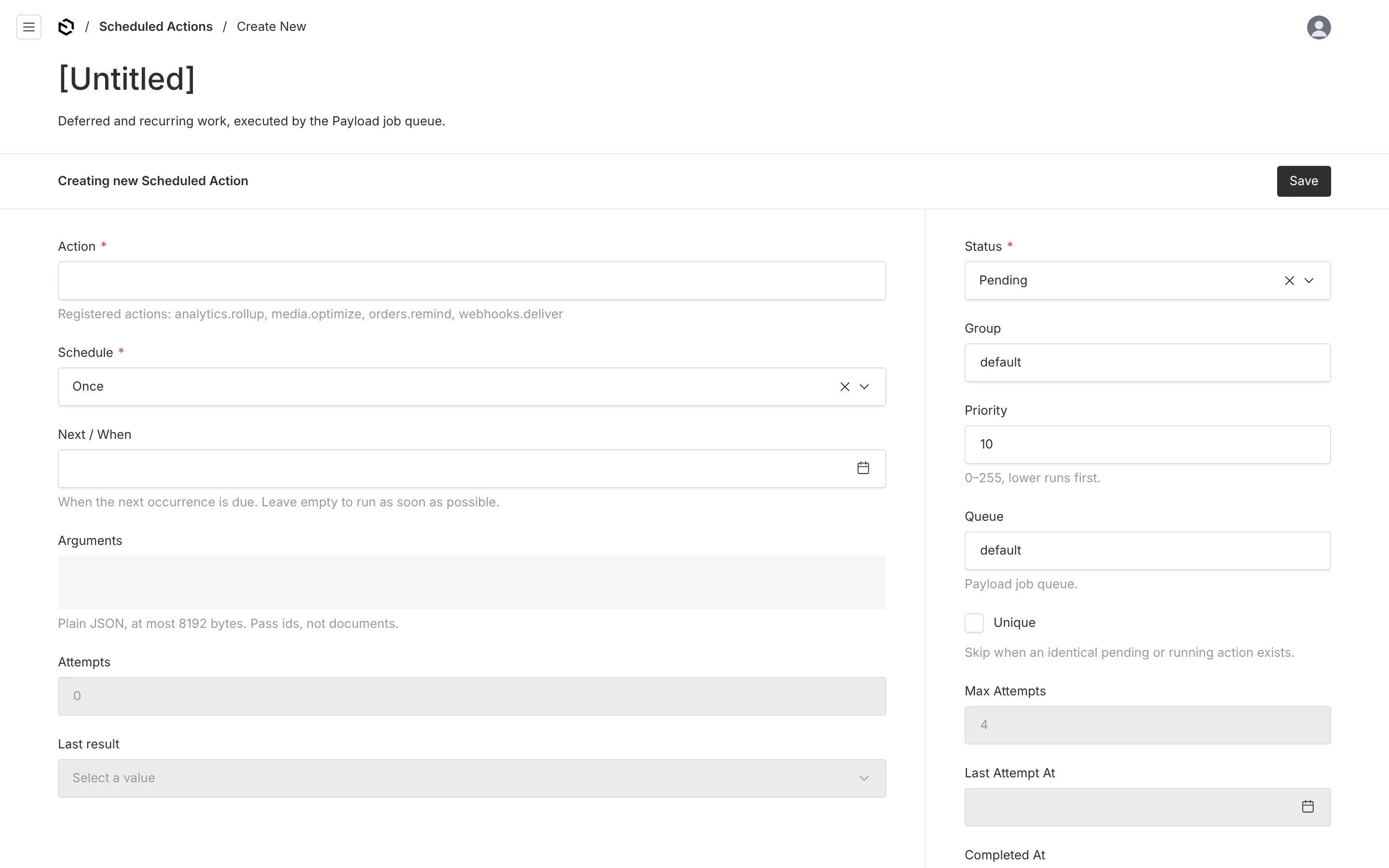
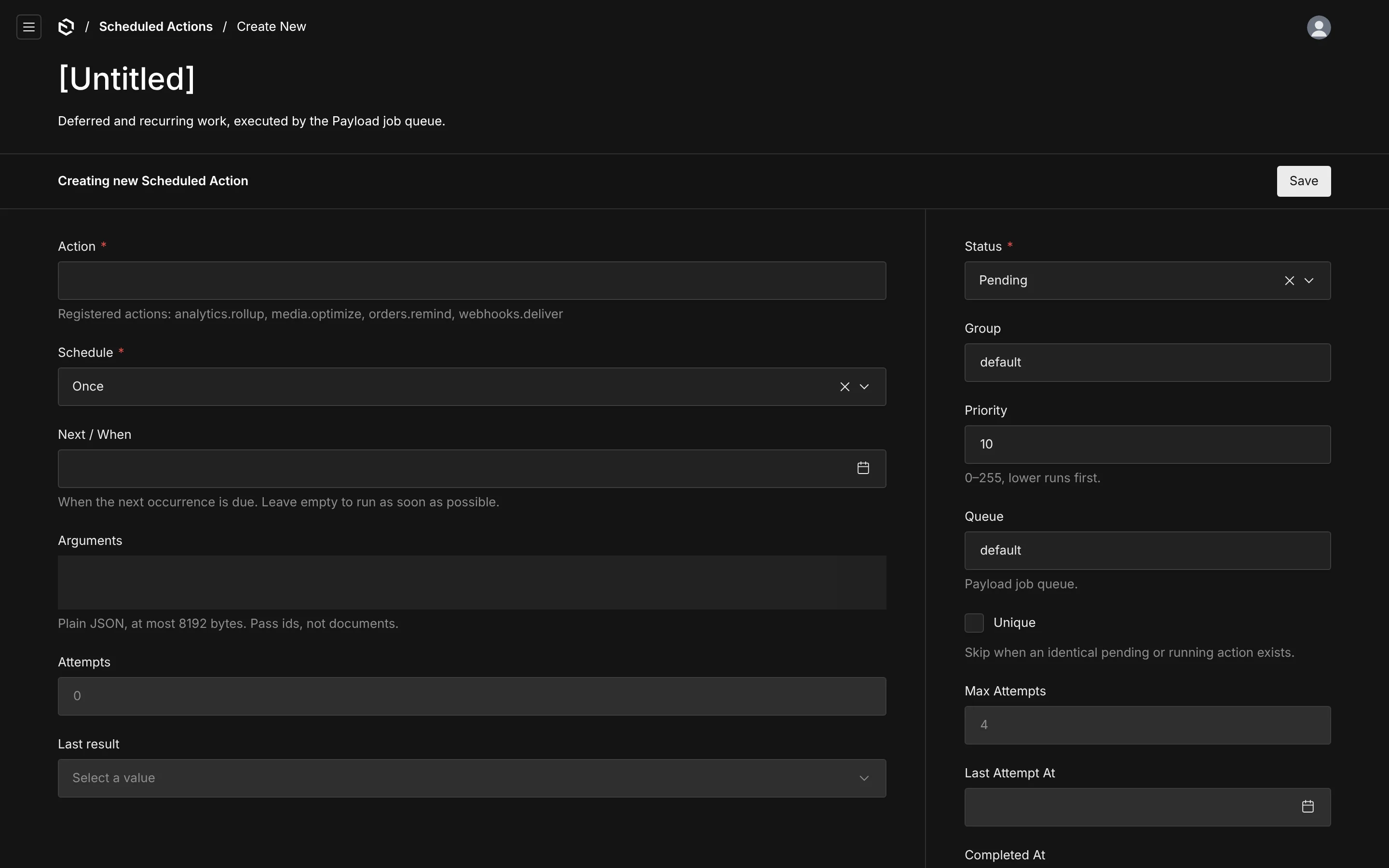
Payload's standard create form, tuned: pick a registered action (unregistered hooks are refused), enter arguments (plain JSON under the cap), choose Once, Every interval (seconds) or Cron — the cron field shows the expression in words as you type — set a time zone, group, priority, queue and whether the action is unique. Saving schedules it exactly as payload.scheduler.schedule would, records who created it, and opens it. Leave the date empty to run it as soon as possible.
Access
By default any signed-in admin user can see and operate the view. access.read, access.manage, access.runQueue and access.create narrow it per operation, and the same rules cover the endpoints the view calls. Arguments and error text are visible to anyone with read, so scope it accordingly when arguments carry personal data, or use redactError to scrub stored errors.