Cookies & scripts
Declaring trackers so the banner, the loader and the cookie policy all agree, plus the built-in presets and Google Consent Mode.
One document per third-party script, pixel, embed, SDK or cookie. This collection is the source of truth: the banner shows the categories that have trackers in them, the loader injects the ones whose category is granted, and the cookie policy's table is generated from the same rows.
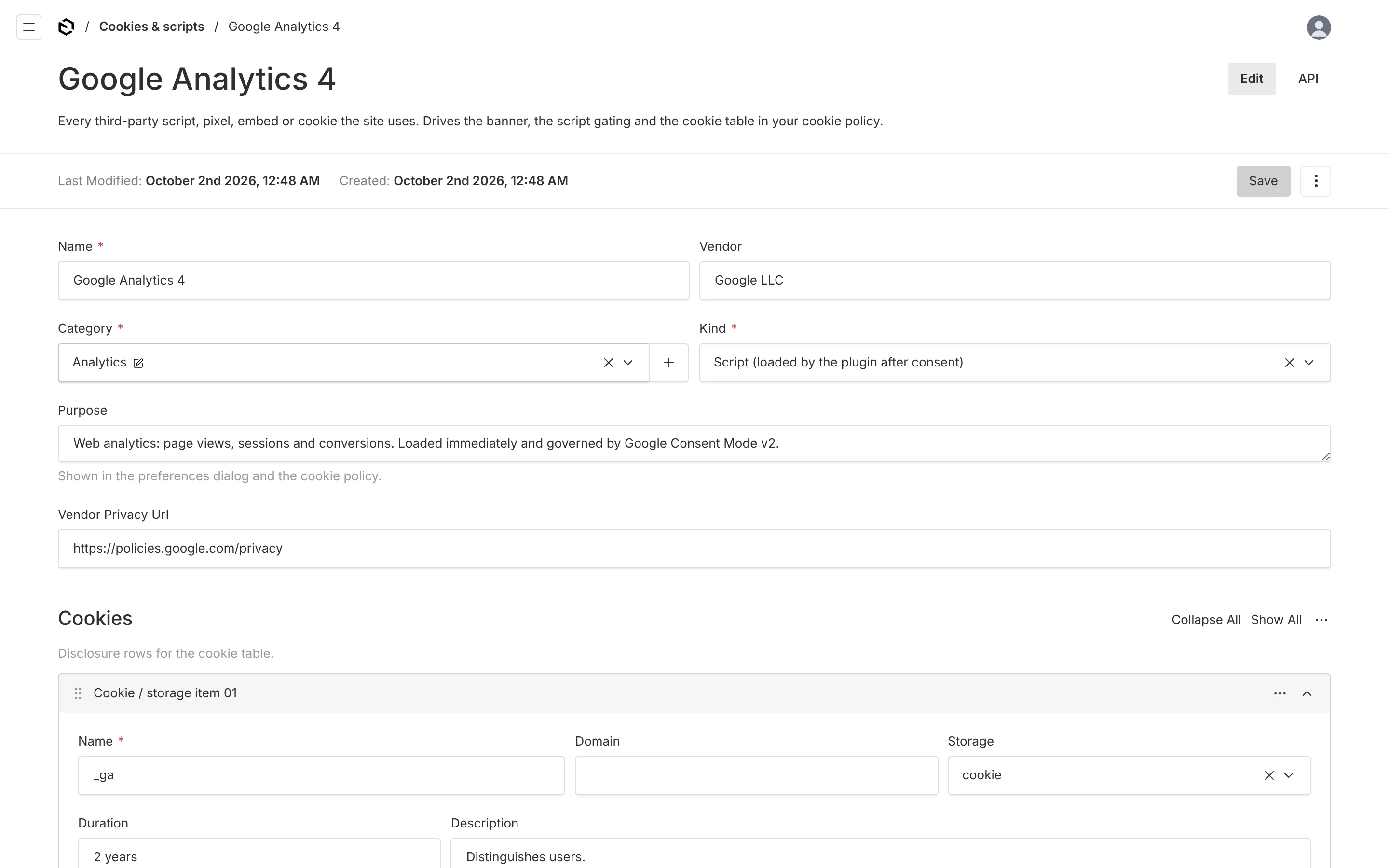
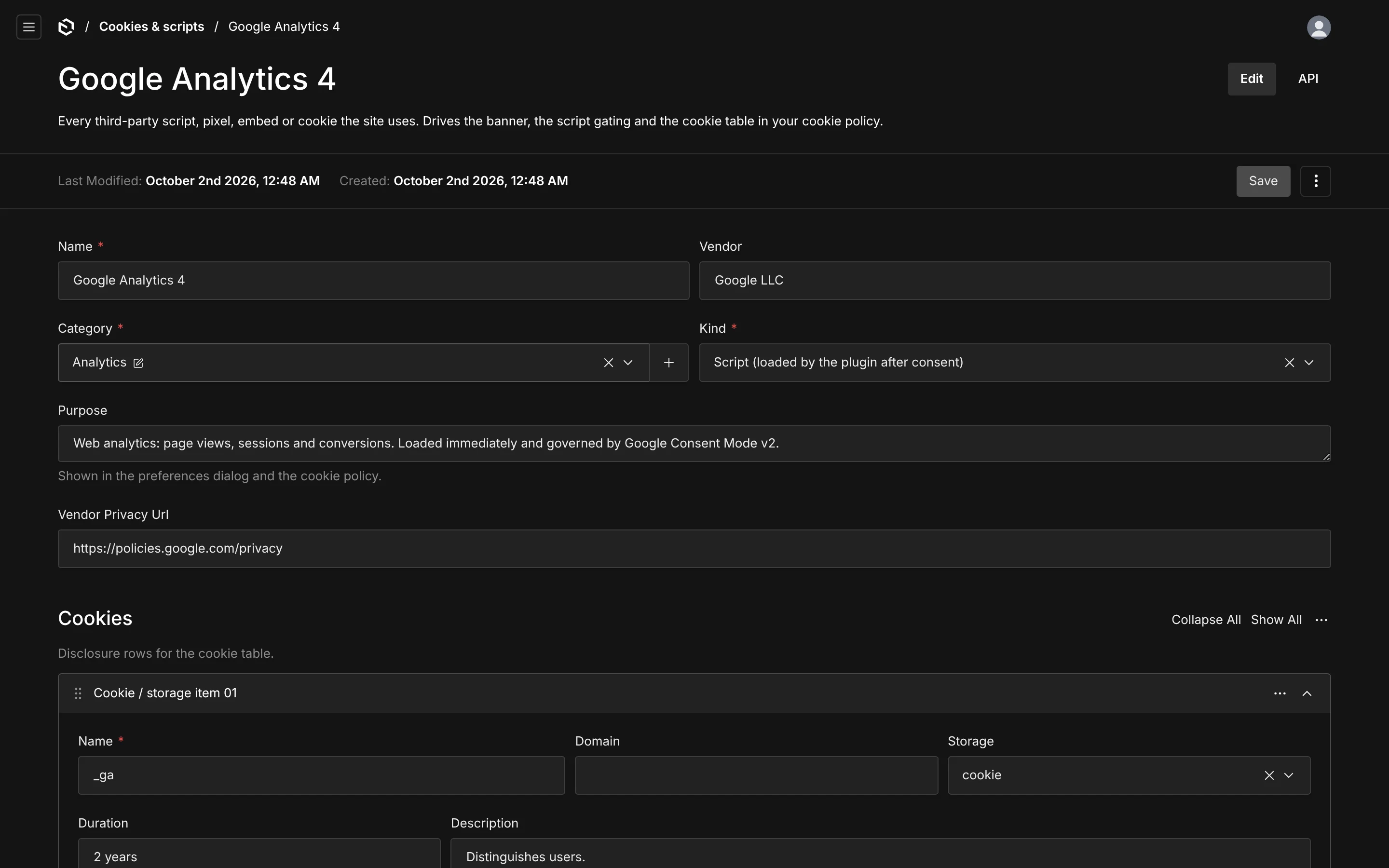
Fields
| Field | Notes |
|---|---|
| Name, Vendor | Shown in the preferences dialog and the cookie table. |
| Category | Exactly one. Determines when this tracker is allowed to run. |
| Kind | How it is enforced — see below. |
| Purpose | One or two sentences a non-technical visitor can follow. This is the text a regulator reads. |
| Vendor privacy URL | Link to the vendor's policy. You generally have to name the recipient of the data; the dashboard warns when this is empty. |
| Cookies / storage items | Disclosure rows: name, domain, storage type (cookie, localStorage, sessionStorage, indexedDB), duration and description. |
| Loader | Only for script and pixel. How the plugin loads it. |
| Enabled | Off means it is not in the config at all: not loaded, not listed, not counted in the version hash. |
| Environments | development, production, or both. Trackers are filtered by NODE_ENV at config time, so a staging-only pixel never reaches production visitors. |
Kinds
The kind decides who enforces the gate.
| Kind | Enforced by | Use for |
|---|---|---|
script | the plugin's loader — injects <script> when the category is granted | GA4, Plausible, Hotjar, most vendor snippets |
pixel | the same loader | conversion pixels that arrive as a script tag |
iframe | you, with <ConsentGate> in the page | YouTube, Vimeo, Google Maps, any embed |
sdk | you, by asking the store before you initialise | PostHog, Intercom, anything you import and call |
cookie-only | nothing to load — disclosure only | Stripe's fraud cookies, your own first-party cookies |
iframe and sdk are not a weakness; they are the honest answer. The plugin cannot stop an <iframe> you rendered or an npm package you imported, so it declares them, gates them in the UI, and gives you has() to gate them in code.
<ConsentGate category="functional" fallback={<EmbedPlaceholder />}>
  <iframe src="https://www.youtube-nocookie.com/embed/…" />
</ConsentGate>
const { has } = useConsent()
useEffect(() => {
if (has('analytics')) posthog.opt_in_capturing()
else posthog.opt_out_capturing()
}, [has])The loader
For script and pixel kinds:
| Field | Notes |
|---|---|
| Src | Script URL. Leave empty when using inline code. |
| Inline code | A snippet, executed on your site. This is a trust boundary — see the warning below. |
| Strategy | As soon as allowed, or When the browser is idle (requestIdleCallback). |
| Consent Mode managed | Google tags only. Load immediately and let Consent Mode gate the data, instead of withholding the script. |
| Attributes | Extra script attributes as JSON, e.g. {"data-domain":"example.com"}. |
Injected scripts carry data-consent-tracker="<tracker id>", which makes them easy to assert on in tests and to spot in the network panel. The loader is idempotent: a tracker is injected at most once per page.
Scripts cannot be unloaded. When a visitor revokes a category whose scripts already ran, the store sets needsReload, and the banner component surfaces the "reload to apply" notice. This is a browser limitation, not a shortcut — no consent tool can un-run a third-party script.
Inline code runs on every page of your site with full access to the DOM and to your users' sessions. Anyone who can edit this collection can therefore ship JavaScript to production. Lock the collection down with access.manage if your editors are not your developers.
Google Consent Mode v2
Google's tags are a special case. Withholding gtag.js until consent means losing conversion modelling and, in Google's newer terms, running afoul of their own requirements. Consent Mode is the supported alternative: the tag loads immediately, but every storage decision is denied until you say otherwise.
Mark a tracker Consent Mode managed and the plugin will:
- emit
gtag('consent', 'default', …)in<head>from<ConsentModeScript>, computed from the cookie that is already there, withwait_for_update; - load the script regardless of the decision;
- emit
gtag('consent', 'update', …)whenever the visitor changes anything.
Which signals a category grants is set per category. The seeded mapping covers the four Consent Mode v2 signals plus the three older ones. ads_data_redaction and url_passthrough come from Consent settings.
The default script is idempotent — it guards on window.__plConsentModeDefault — so a double render in development cannot push the defaults twice.
Presets
seed.trackers accepts a preset key, or { key, vars, enabled }. Each preset arrives with its real cookie names, durations, purposes and vendor privacy links already filled in; {{placeholders}} in URLs and cookie names are substituted from vars, and anything you leave out is logged as a warning and left in the document for an editor to fix.
| Key | Name | Category | Kind | Needs |
|---|---|---|---|---|
posthog | PostHog | analytics | sdk | projectKey |
posthog-eu | PostHog (EU Cloud) | analytics | sdk | projectKey |
ga4 | Google Analytics 4 | analytics | script (Consent Mode) | measurementId |
gtm | Google Tag Manager | marketing | script (Consent Mode) | containerId |
meta-pixel | Meta Pixel | marketing | script | pixelId |
linkedin-insight | LinkedIn Insight Tag | marketing | script | partnerId |
hotjar | Hotjar | analytics | script | siteId |
clarity | Microsoft Clarity | analytics | script | projectId |
intercom | Intercom | functional | sdk | appId |
crisp | Crisp | functional | script | websiteId |
youtube | YouTube embeds | functional | iframe | — |
vimeo | Vimeo embeds | functional | iframe | — |
google-maps | Google Maps embeds | functional | iframe | — |
stripe | Stripe | necessary | cookie-only | — |
vercel-analytics | Vercel Web Analytics | analytics | sdk | — |
umami | Umami | analytics | script | scriptUrl, websiteId |
plausible | Plausible | analytics | script | domain |
consentPlugin({
  seed: {
    company: { /* … */ },
    trackers: [
      { key: 'ga4', vars: { measurementId: 'G-XXXXXXX' } },
      { key: 'posthog-eu', vars: { projectKey: 'phc_…' } },
      { key: 'meta-pixel', vars: { pixelId: '123…' }, enabled: false },
      'youtube',
      'stripe',
    ],
  },
})
Presets are only used when the trackers collection is empty. To add one later, either create the document by hand in the admin or call seedTrackers from a script:
import { seedTrackers, getPluginOptions } from '@payload-solutions/plugin-consent/server'

await seedTrackers(payload, getPluginOptions(payload), [{ key: 'crisp', vars: { websiteId: '…' } }])
The raw definitions are exported as TRACKER_PRESETS if you want to build your own seeding flow on top of them.
Adding your own
Nothing about the presets is privileged — a hand-made tracker document behaves identically. What matters for a self-hosted or in-house tool:
- Pick the honest category. A "privacy-friendly" analytics tool that sets no cookies still processes personal data; whether it needs consent depends on your jurisdiction and your DPA, not on its marketing page. If it genuinely needs no consent, put it in
necessaryand say why in the purpose field. - List the storage, not just the cookies.
localStorageandindexedDBare covered by the same ePrivacy rule as cookies. Thestoragefield exists for exactly this. - Use
cookie-onlyfor your own cookies. Session, CSRF and consent cookies belong in the cookie policy too, and the seeded cookie policy's table will list them.
Trackers are not the processor register
A tracker is a browser concern: what runs on the page and what the visitor may refuse. Your host, database, email sender and error tracker never touch the banner, so they are not here — they belong in Processors, which is what the privacy policy's recipients table and your sub-processor list are built from.
Vendors that are both — PostHog, Intercom, GA4 — get a row in each, linked by the tracker relationship on the processor. The dashboard warns when a declared tracker has no matching processor row, which is how the two lists drift apart in practice.
Extra fields
Multi-tenant setups usually need a relationship on the tracker:
consentPlugin({
  trackerFields: [{ name: 'tenant', type: 'relationship', relationTo: 'organizations', index: true }],
})
The fields are appended to the collection as-is. They do not reach the client config — filter on them in your own code, or scope the collection with access.manage.