Transactional Emails for Payload
Transactional emails declared once in code and written by your team in the admin. Typed at every call site, rendered through your own React Email template, sent through the adapter you already configured.
npm install @payload-solutions/plugin-emailsEvery project ends up with the same folder: a dozen transactional emails hard-coded in TypeScript, and a marketing lead who wants one sentence changed. Transactional Emails for Payload splits that file in two along the line that actually matters — code owns what an email is, the database owns what it says — without giving up type safety at the call site.
A developer declares the email once:
export const welcome = defineEmail({
  slug: 'welcome',
  label: 'Welcome',
  audience: 'user',
  inputSchema: [
    { name: 'user', type: 'relationship', relationTo: 'users', required: true },
    { name: 'url', type: 'text', required: true },
  ],
  variables: { 'user.name': { example: 'Ada Lovelace' }, url: { type: 'url' } },
  resolve: async ({ input, payload }) => {
    const user = await populate(payload, 'users', input.user)
    return { 'user.name': user.name || user.email, url: input.url }
  },
  to: ({ input }) => input.user.email,
  defaults: { subject: 'Welcome to {{site.name}}', body: 'Hi {{user.name}}, …' },
})
The team edits the wording in the admin. Application code sends it:
await payload.emails.send('welcome', { input: { user, url } })That call is fully typed. An unknown key, a missing url, a wrong select value, or a resolve that forgets a variable are all compile errors — because the plugin writes Config['emails'] into your payload-types.ts during generate:types, the same way Payload types job tasks.
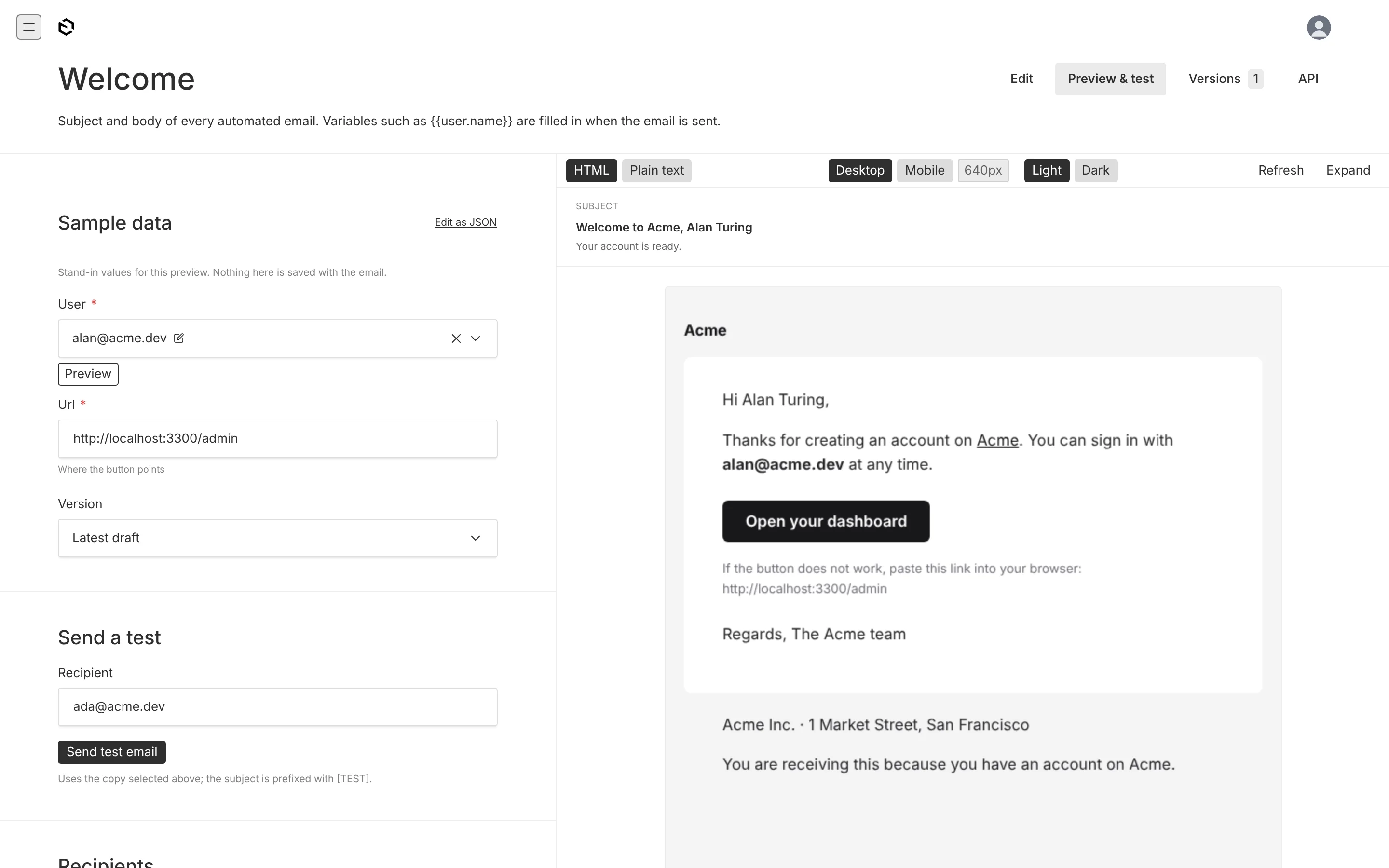
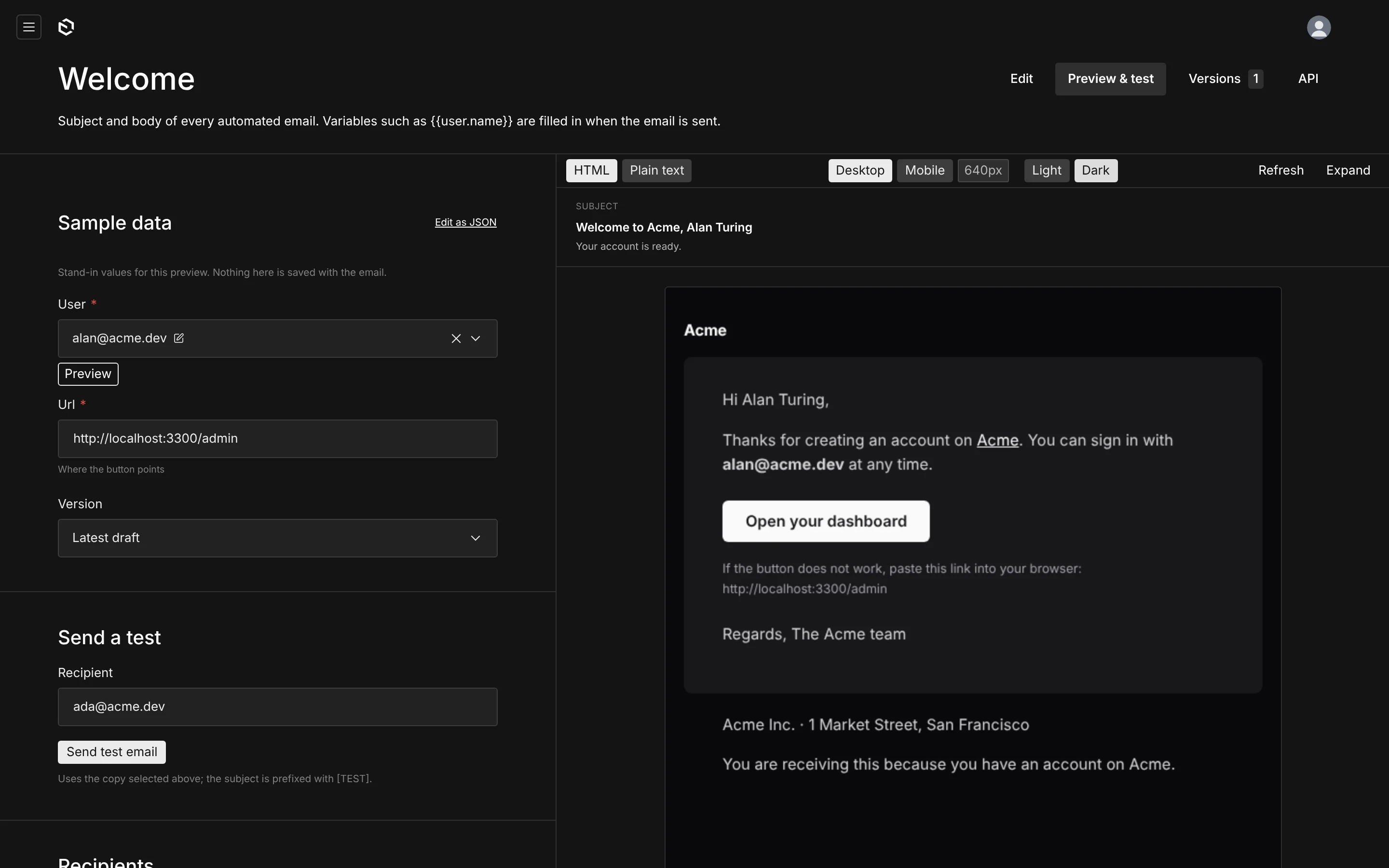
What each side owns
| Owned by code, in your repo | Owned by the database, edited in the admin |
|---|---|
| the key, and what input callers must pass | the subject, preheader and body |
| which variables exist, and what they mean | which of them each email actually uses, and where |
how input becomes variables (resolve) | whether a non-critical email is on or off |
who receives it by default (to) | extra recipients, cc, bcc, reply-to |
| the design — a React Email template | the footer under every email |
Nothing an editor writes is overwritten by a deploy. Nothing a developer declares can drift from what the admin shows, because the admin reads the declaration itself: rename a variable in code and the chips, the validation and the preview all change on the next boot, while the copy stays exactly as it was.
How it fits together
| Piece | Where it runs | What it does |
|---|---|---|
emailsPlugin() | Payload config | adds the collection, the global, the endpoints, the type hook and the seed |
defineEmail() | your src/emails/* | one object per email: key, input, variables, recipients, default copy |
transactional-emails | Payload admin | one document per definition — the copy, with drafts and versions |
email-settings | Payload admin | sender, admin recipients, site name, the footer, a template preview |
payload.emails.send() | your server code | resolve → render → hand to Payload's email adapter |
your EmailTemplate | render time | a React Email component that owns the branding |
email-log (opt-in) | Payload admin | every send, with status, recipient and reason |
What it is not
It is not a marketing or campaign tool: no lists, no bulk sends, no open tracking. It is not a drag-and-drop email builder — the design is a React component your developers own, on purpose. And it does not replace your email provider; it renders the message and hands it to whatever adapter your Payload config already uses, so Resend, Nodemailer or console logging all work unchanged.
Quick start
npm install @payload-solutions/plugin-emailsimport { emailsPlugin } from '@payload-solutions/plugin-emails'
import { welcome, passwordReset } from './emails'
export default buildConfig({
// …
plugins: [emailsPlugin({ emails: [welcome, passwordReset] })],
})pnpm payload generate:types
pnpm payload generate:importmapOn the next boot the plugin creates one published document per definition from your default copy, and Emails → Transactional Emails is ready for your team.
Installation walks through it properly. Defining emails is the reference for the declaration above.