Sources
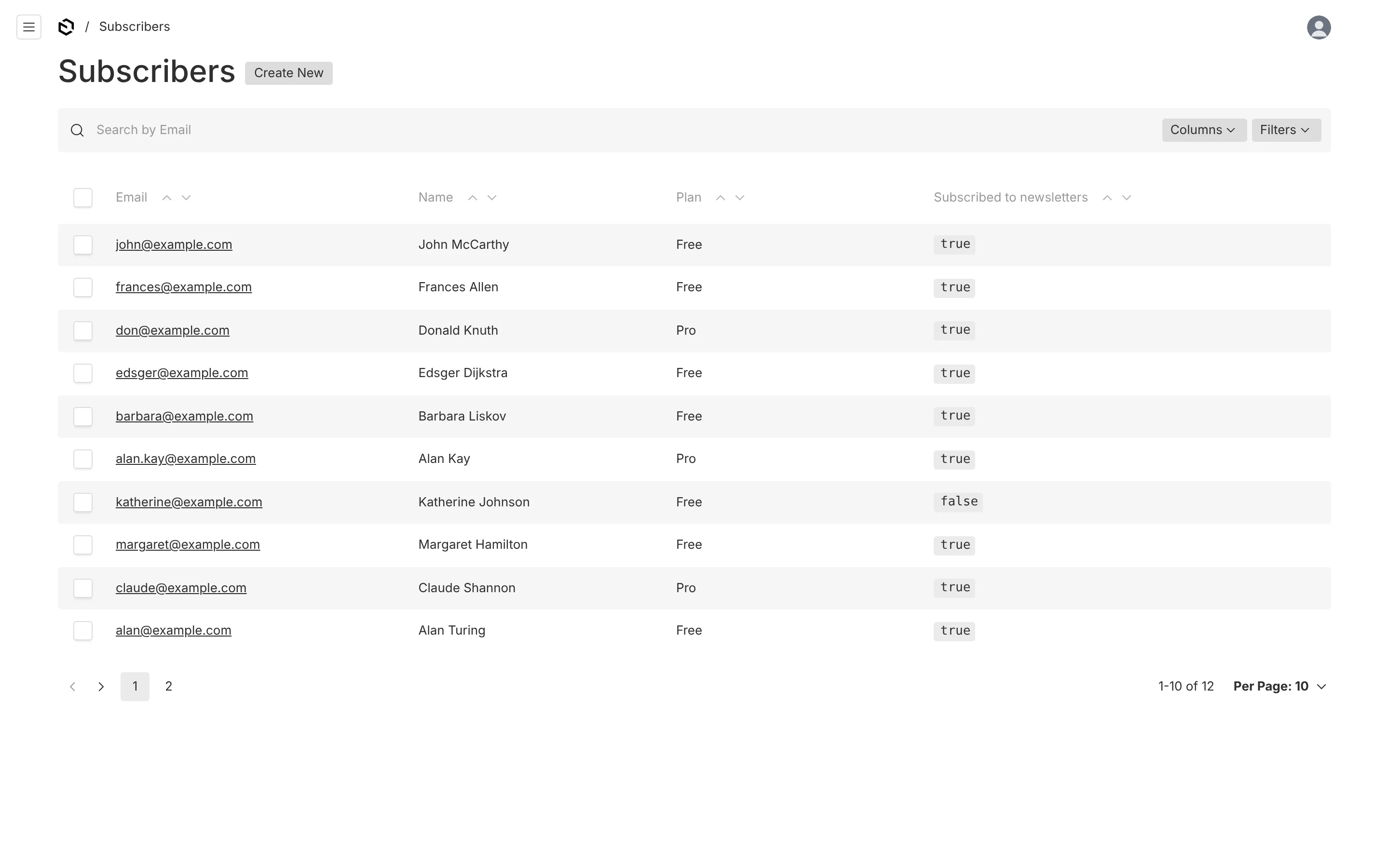
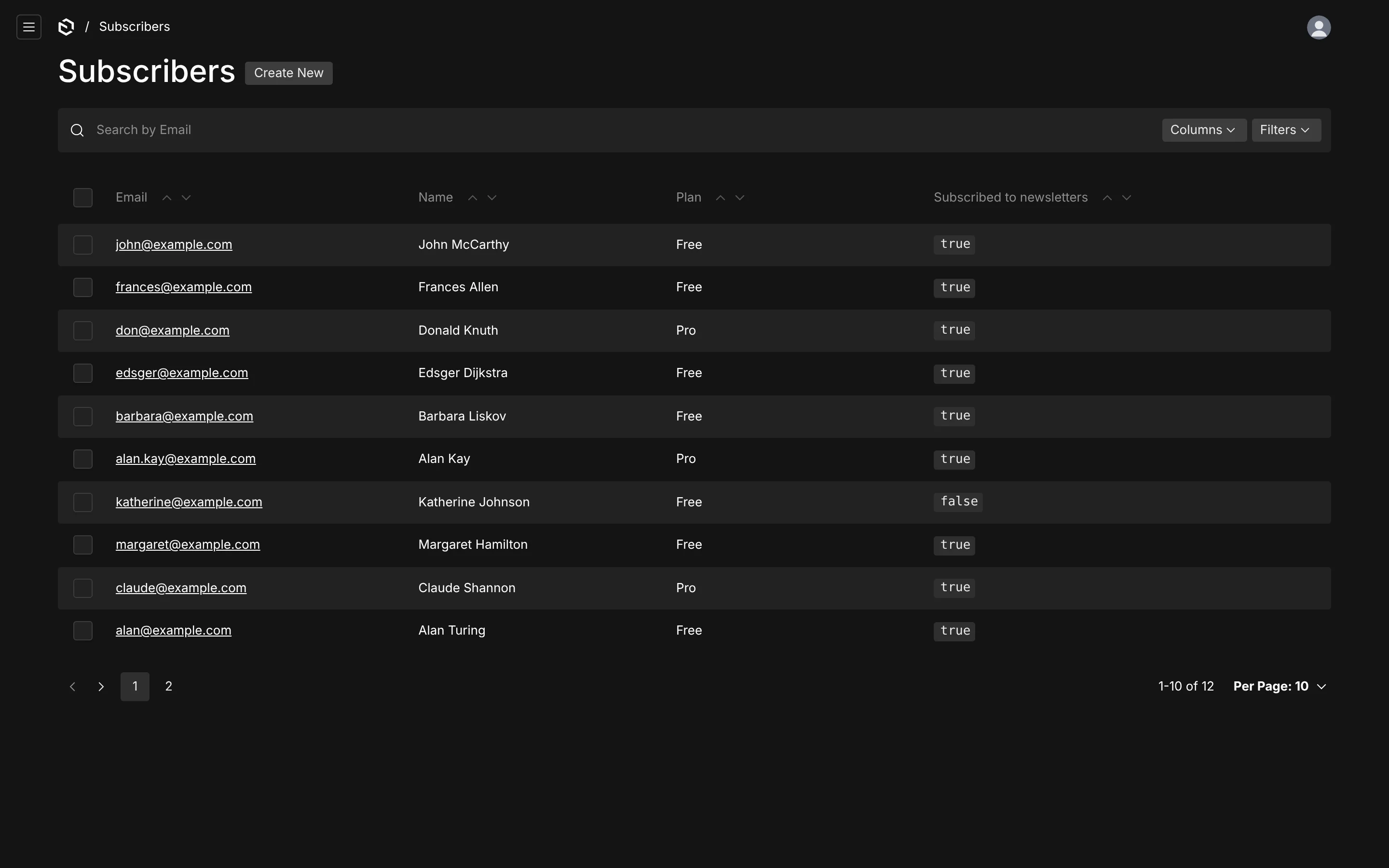
Any collection with an email can be a subscriber source. The plugin adds the fields it needs and keeps one Resend contact per address in step with your documents.
A source is a collection whose documents are subscribers. It can be your users, a customers collection, or a dedicated sign-up collection — the plugin does not care, as long as each document has an email address.
resendBroadcastsPlugin({
  sources: [
    { collection: 'users' },
    { collection: 'subscribers', defaultSubscribed: true },
  ],
})
The fields a source needs
Three things are read from every document. When a collection does not define them, the plugin adds them:
| Read from | Default path | Added as |
|---|---|---|
| email address | email | a required, indexed email field — except on auth collections, which have one already |
| name | name | a text field |
| subscribed | subscribed | a checkbox in the sidebar, Subscribed to newsletters, defaulting to defaultSubscribed (false) |
Email and name lead the document; the checkbox sits in the sidebar. A collection that already has these fields under other names maps them instead:
{
  collection: 'customers',
  fields: {
    email: 'contactEmail',
    firstName: 'givenName',
    lastName: 'familyName',
    subscribed: 'marketingOptIn',
  },
}
Paths may be nested (profile.email), but only top-level fields are ever added — a nested one must exist already. Set addFields: false if you add all three yourself, for example inside a tab.
Names
Resend contacts have a first and a last name. With a single name field the plugin splits it on the first space — "Ada King Lovelace" becomes Ada and King Lovelace — and also stores the whole name as the contact property full_name, which is what {{name}} reads. Map firstName and lastName and no splitting happens.
Opt-in
defaultSubscribed is the checkbox's default for new documents. It is false unless you say otherwise, because for most collections — users above all — being in the collection is not consent to a newsletter. A dedicated sign-up collection is the usual place to turn it on.
Contact properties
Anything else a campaign should be able to say per person is a property: a value read from the document, pushed to Resend with the contact, and usable as {{key}} in the body.
{
  collection: 'subscribers',
  properties: {
    plan: { type: 'string', description: 'Free or Pro', value: ({ doc }) => doc.plan },
    company: { type: 'string', fallback: 'your team', value: ({ doc }) => doc.company },
    seats: { type: 'number', value: ({ doc }) => doc.seats },
  },
}typeisstringornumber, as Resend stores them. Keys are letters, digits and underscores, at most 50 characters, and cannot shadow a built-in variable.fallbackis used when a subscriber has no value — in the preview, and in Resend, where the plugin creates the property with that fallback.- The same key in two sources must have the same type: an address is one contact in Resend, whatever collection it came from.
- The plugin creates every property in Resend on first use. Deleting one in the dashboard is repaired on the next save.
How sync works
Every source collection gets an afterChange and an afterDelete hook.
| When | What happens in Resend |
|---|---|
| a subscribed document is created | its contact is created, then added to the segment of every list over this collection whose filter matches it |
| a document is updated | the contact's names, properties and unsubscribed flag are updated; it is added to or removed from each list's segment as the filters now say |
| the subscribed checkbox is turned off | the contact is marked unsubscribed. It stays in its segments; Resend never mails it |
| a document is created unsubscribed | nothing — no contact is created for someone who never opted in |
| the email changes | the old address leaves this collection's segments (and is deleted if nothing else uses it), the new one is created and placed |
| a document is deleted | the address leaves this collection's segments, and the contact is deleted unless another document in any source still has that address (turn off with deleteContacts: false) |
A failed Resend call is logged and never fails the save: the document is the source of truth, and a resync repairs any drift.
Writes the plugin makes itself — an unsubscribe arriving by webhook, a resync pulling one back — carry a context flag so they are not echoed straight back to Resend. Pass the same flag to skip sync for a bulk import of your own:
await payload.create({
  collection: 'subscribers',
  data,
  context: { resendBroadcastsSkipSync: true },
})
// …then one resync at the end instead of thousands of single calls
await payload.resendBroadcasts.resync()
Await or background
By default the sync runs inside the save (syncMode: 'await'), so the request returns after Resend has been told. With several lists that is a few hundred milliseconds per save. syncMode: 'background' returns at once and syncs after Payload commits the transaction — faster saves, but on serverless hosts the work can be cut off when the response is sent. See Recipes.
Rate limits
Resend allows a few requests per second per team (2 by default). The plugin's client queues every call this process makes at resend.requestsPerSecond (default 2) and retries rate limits, 5xx responses and dropped connections with backoff. Raise the setting if Resend has raised your limit.
One address, one contact
Resend keeps one contact per email address for the whole team. If the same address is in two sources, both documents write to the same contact, and the last save decides its name and subscription. An unsubscribe that arrives by webhook turns the checkbox off on every matching document, in every source.